ChatGPT
Add Manh to ChatGPT as a custom MCP server, sign in to manh.run, then call @Manh in a chat.
Add Manh
-
On chatgpt.com, open Plugins in the left sidebar, select Add in the top-right corner, then select Add custom MCP server.
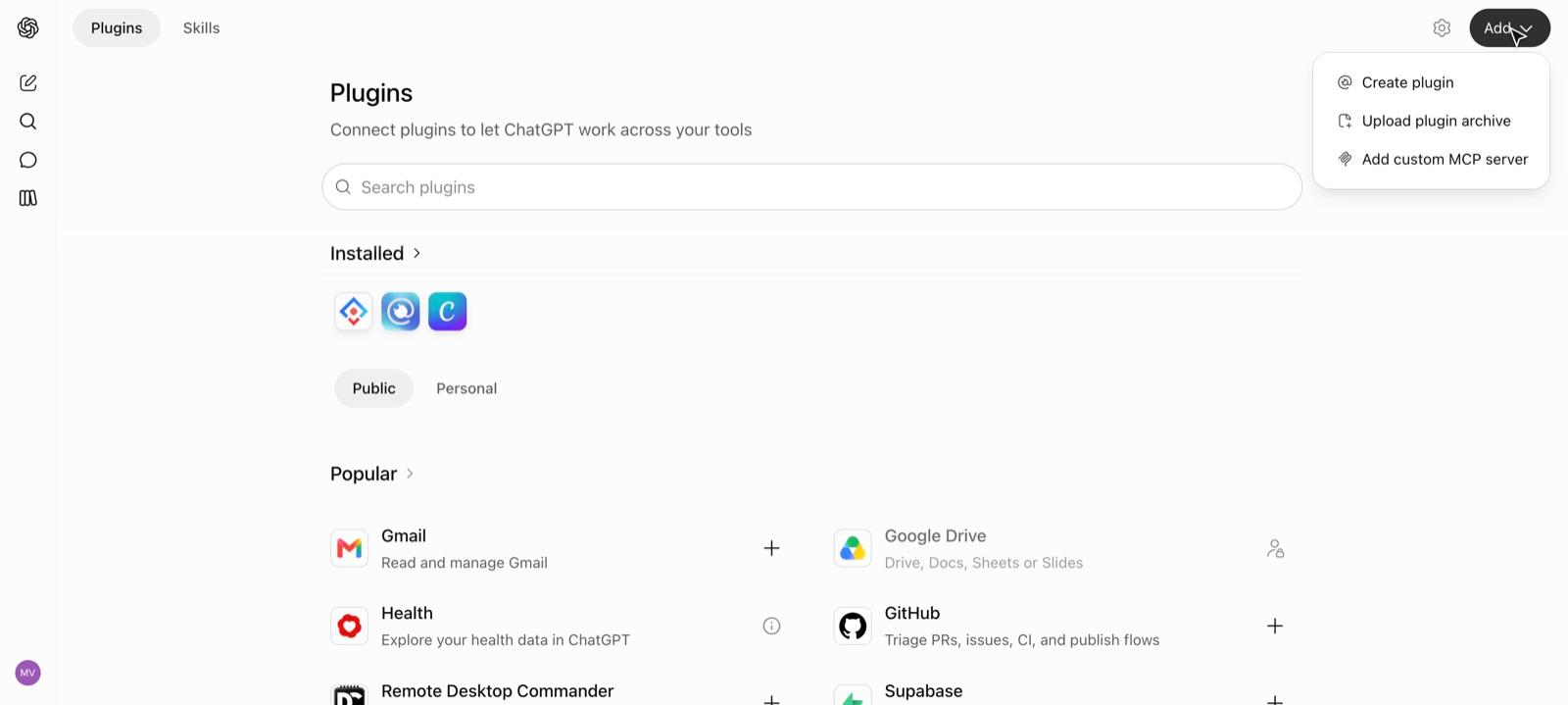
-
Fill in the form:
- Name:
Manh - Description: optional, for example
Build and host web apps with Manh - Connection: choose Server URL and paste
https://mcp.manh.run - Authentication: keep OAuth
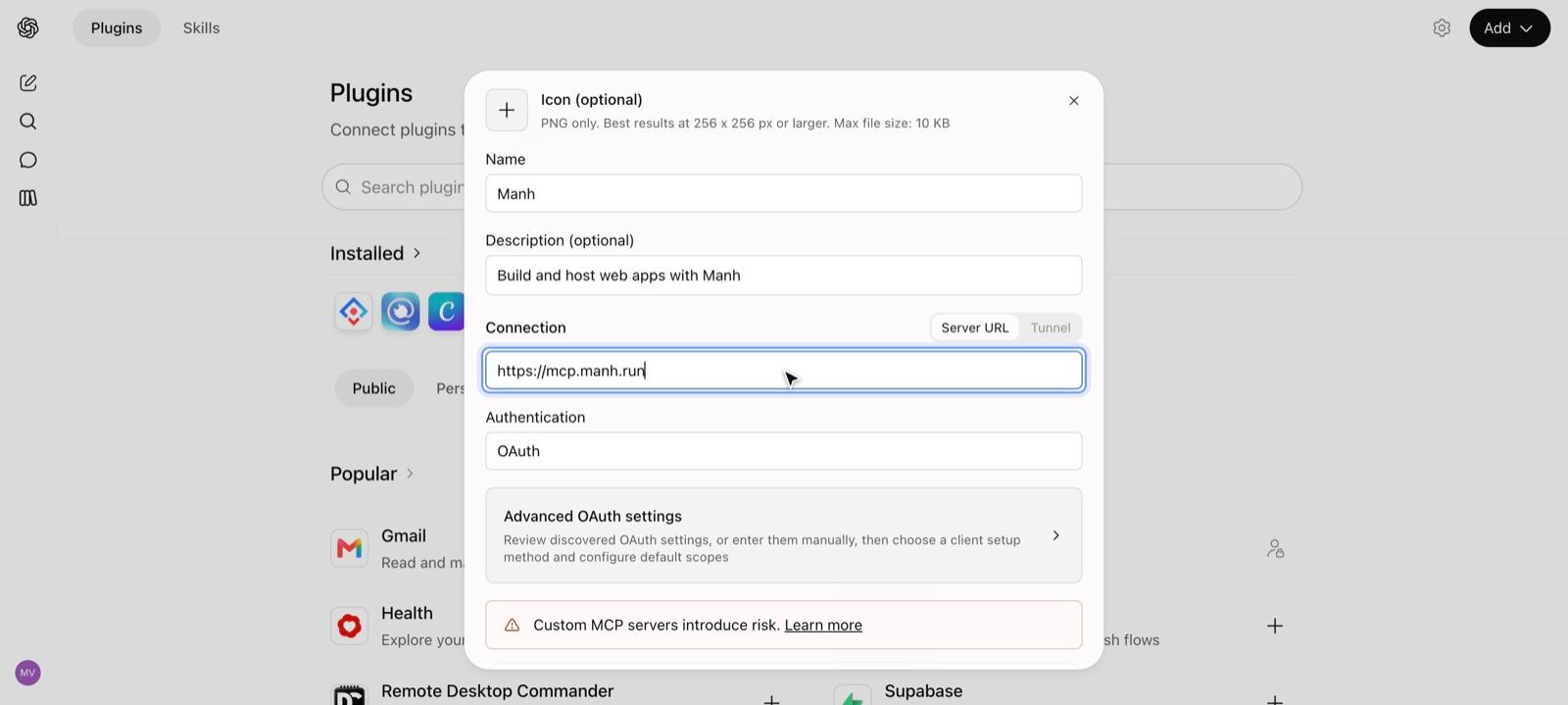
- Name:
-
Scroll down, check I understand and want to continue, then select Create as a plugin.
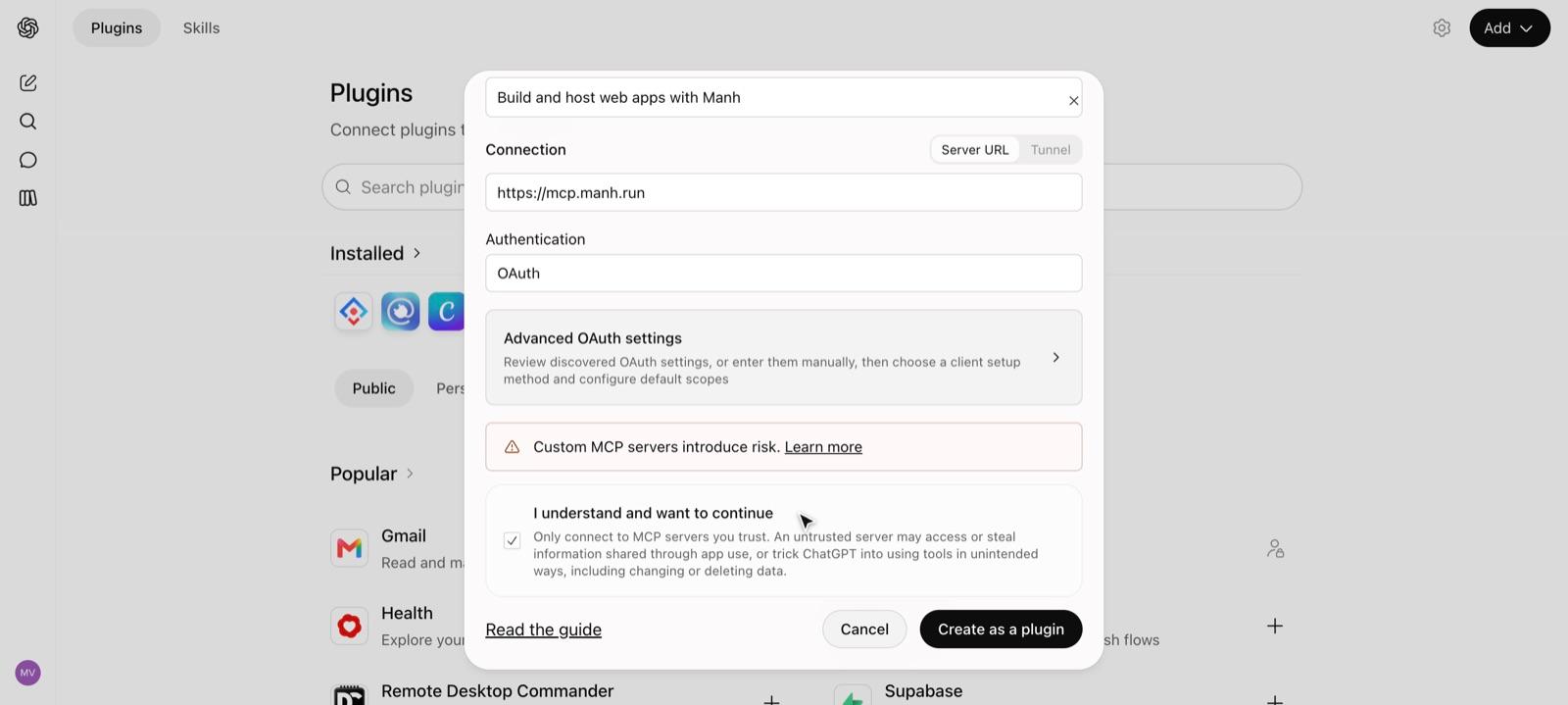
-
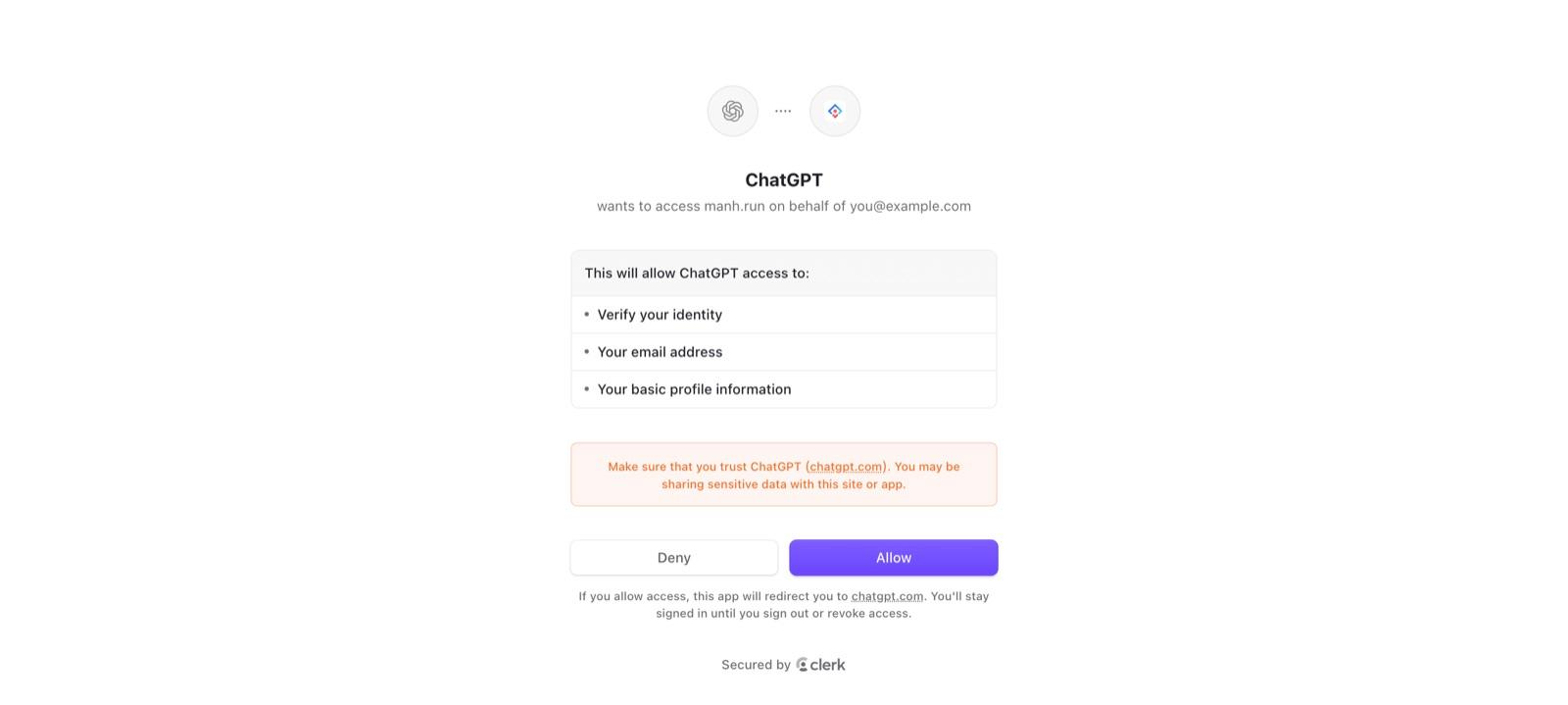
Select Connect Manh. ChatGPT opens the manh.run sign-in page.
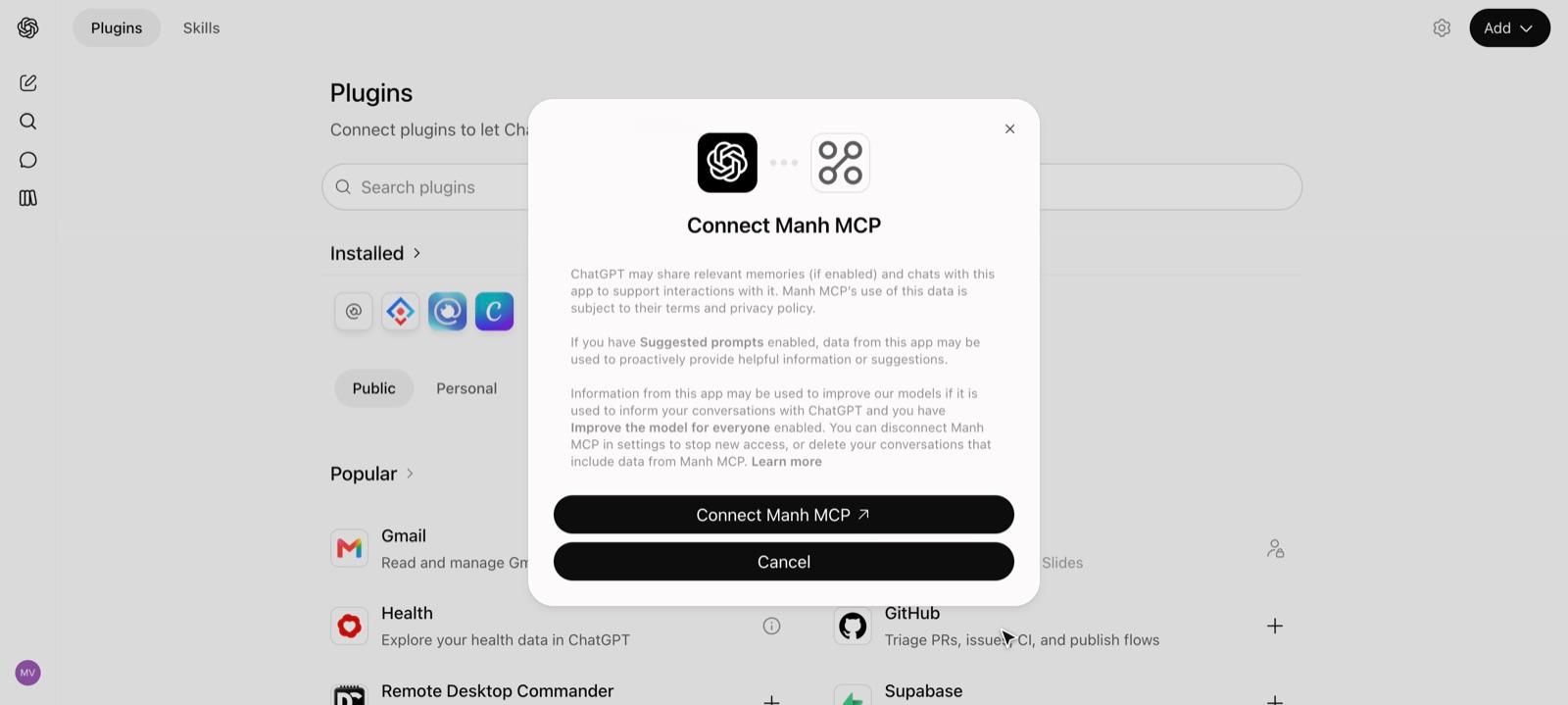
-
Sign in to manh.run if asked, then select Allow. ChatGPT returns to the Plugins page and Manh appears under Installed.
Use Manh in a chat
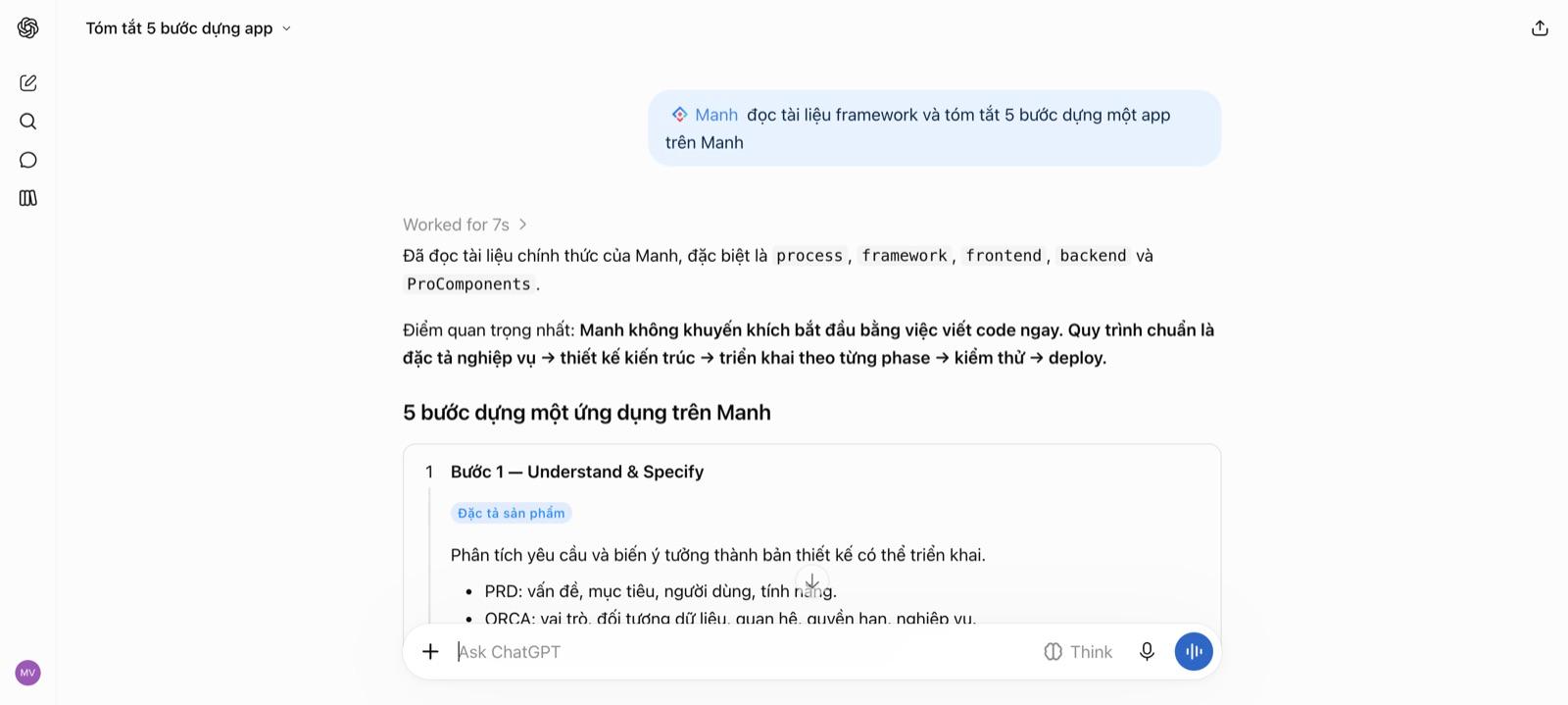
In a new chat, type @Manh and pick Manh from the list before writing your request.
Good to know
- ChatGPT calls Manh only when the chat includes
@Manh. Without it, ChatGPT may answer on its own without reading your real data. - Adding a custom MCP server depends on your account’s plan and region. If you don’t see Add custom MCP server, that account doesn’t have the feature yet.
Next steps
- Check the connection — ask the agent for your project list.
- Your first app — give the agent its first brief.
Last updated