Claude Code and Claude
Add Manh to Claude Code with one command, or to claude.ai and the Claude app from the connector directory.
Claude Code
-
Run this command in your terminal:
claude mcp add --transport http manh https://mcp.manh.run -
Open Claude Code, type
/mcp, selectmanh, then select Authenticate. -
Your browser opens the manh.run sign-in page. Sign in, then allow access.
To also get the manh skill and the /manh-new and /manh-deploy commands, install the plugin instead of step 1:
/plugin marketplace add manh-run/claude-plugin
/plugin install manh@manh
Claude Code runs in a folder on your machine, so the agent can write the spec (PRD.md, ORCA.md, spec/) next to the code. This is the smoothest way to build a larger app.
Claude (claude.ai and the Claude app)
Manh is listed in Claude’s connector directory, so you don’t need to enter a URL.
-
On claude.ai or in the Claude app, open the Connectors settings and switch to the tab that browses all connectors.
-
Search for
Manhand select Manh.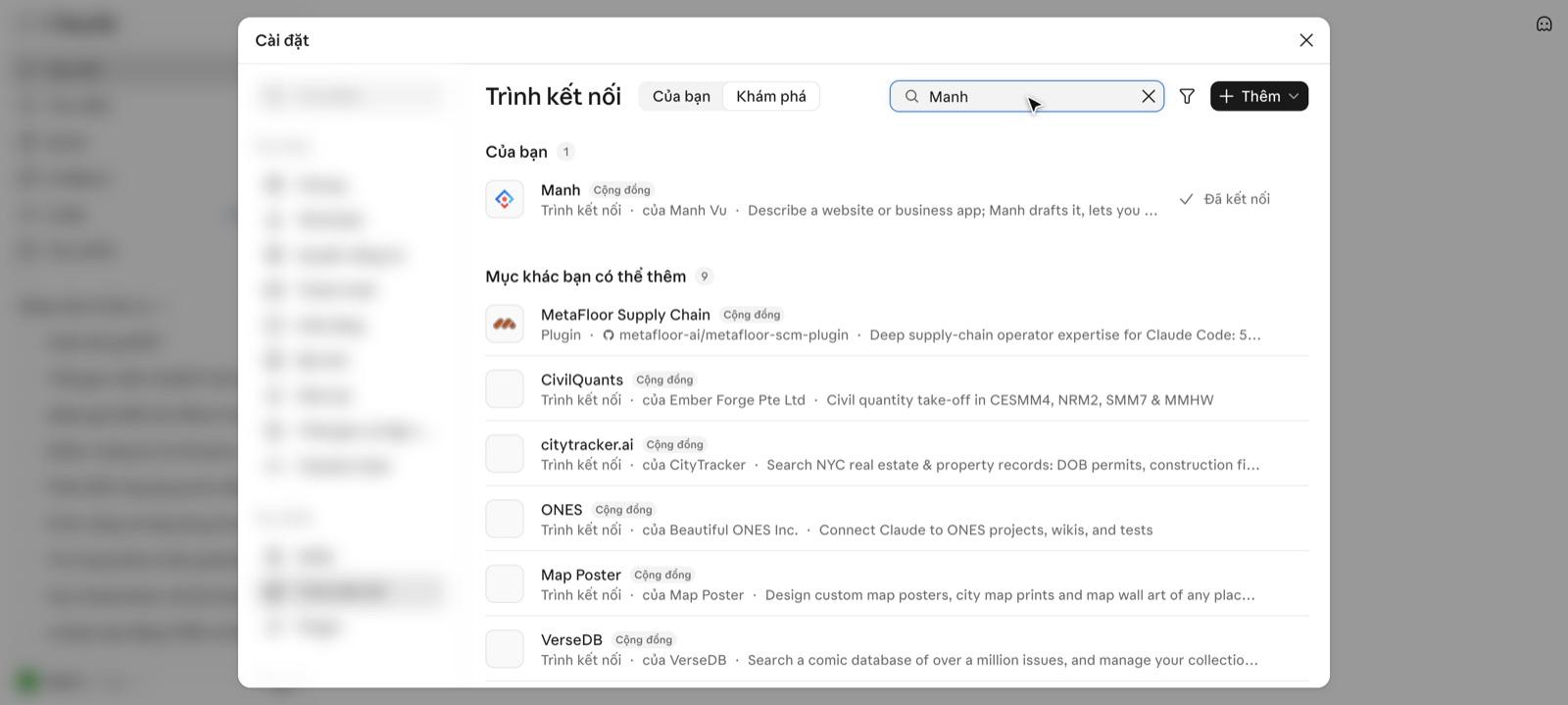
-
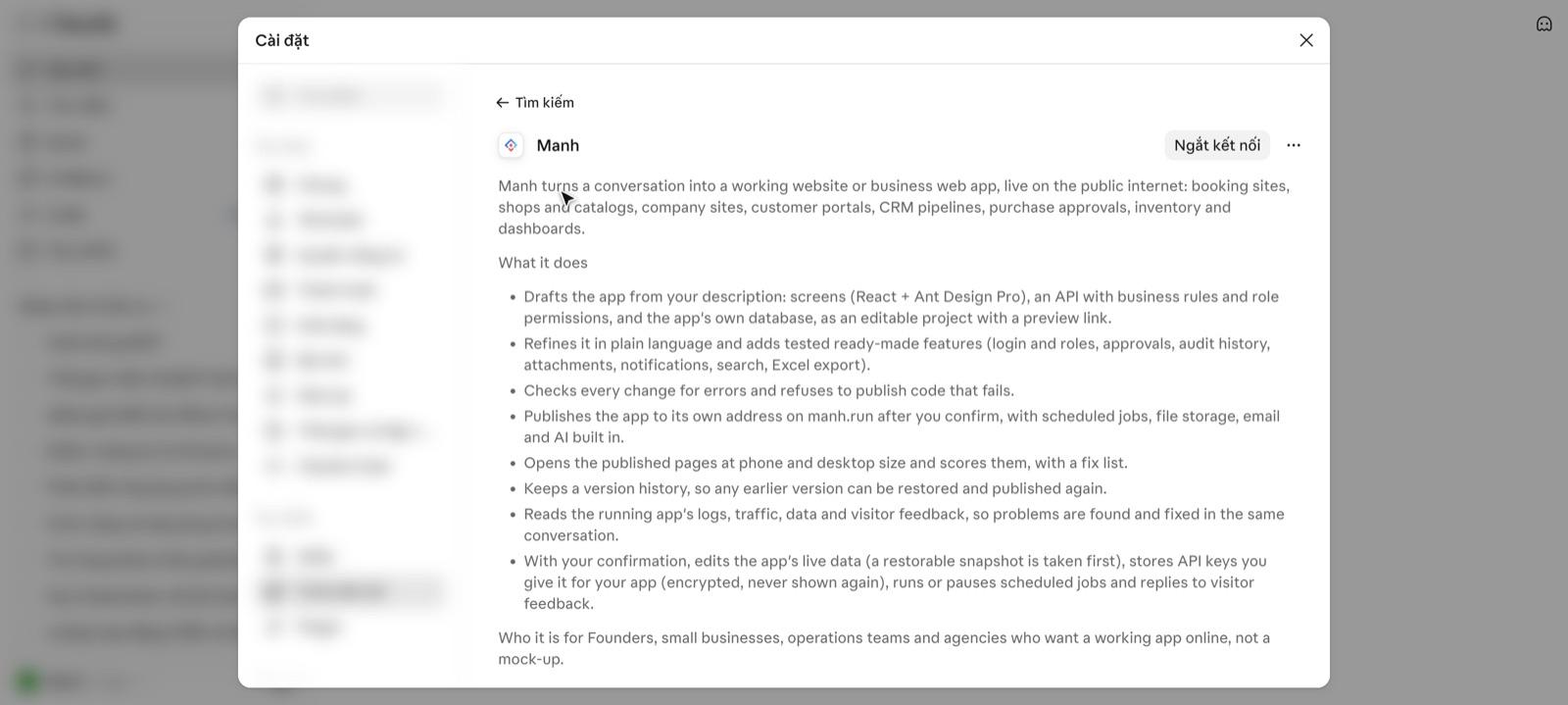
Select Connect. Claude opens the manh.run sign-in page. Sign in, then select Allow. Once connected, the button changes to Disconnect.
Good to know
- The command and the URL contain no token. Claude signs in through your browser, so no key ends up in a chat or a config file.
- If Claude Code reports an authentication error, run
claude mcp remove manh, add it again and Authenticate once more.
Next steps
- Check the connection — ask the agent for your project list.
- Your first app — give the agent its first brief.